Trying to fix accessibility last-minute is like forcing blueberries into a baked pie. Learn how to bake it in from the start with A-TDD.
#1about 4 minutes
Why accessibility is often an afterthought in development
Accessibility is frequently treated as an "unknown unknown," leading to the "blueberry pie problem" where adding it late is difficult and costly.
#2about 2 minutes
Adopting a shift-left approach for accessibility
The shift-left methodology moves accessibility efforts to the beginning of the development lifecycle to prevent bugs rather than fixing them in production.
#3about 2 minutes
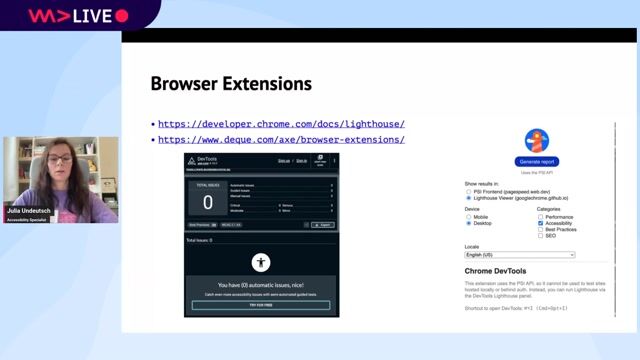
Using browser extensions for testing in staging environments
In a test environment, developers can use browser extensions for automated, manual, and AI-assisted checks to catch accessibility issues before release.
#4about 4 minutes
Automating accessibility checks in the CI/CD pipeline
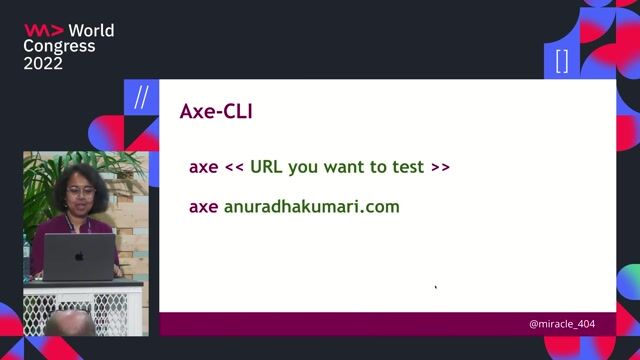
Integrate tools like Lighthouse CI, Pa11y, and end-to-end testing frameworks into the CI/CD pipeline to block deployments with accessibility violations.
#5about 4 minutes
Writing unit tests for specific accessibility concerns
Use tools like jest-axe and Testing Library to write unit tests that verify focus management, accessible names, and other critical accessibility behaviors.
#6about 2 minutes
Using linters and design tools for early feedback
Catch potential issues at the earliest stages by using static code analysis linters during development and accessibility plugins in design tools like Figma.
#7about 3 minutes
Balancing comprehensive testing with development speed
Avoid slowing down development by focusing tests on high-impact user flows, eliminating redundancy, and using non-blocking jobs instead of aiming for 100% coverage.
#8about 4 minutes
Understanding the limitations of automated accessibility testing
While A-TDD improves code quality, automated tools have limitations and cannot replace manual testing for complex interactions like keyboard navigation.
Related jobs
Jobs that call for the skills explored in this talk.
Matching moments
01:33 MIN
Integrating accessibility checks into your development pipeline
Oh S***! There's a New Accessibility Law and I'm Not Ready!
01:44 MIN
Making accessibility a core part of your development process
Oh S***! There's a New Accessibility Law and I'm Not Ready!
03:24 MIN
A practical guide to testing React components for accessibility
Accessibility in React Application
01:57 MIN
Why you should integrate accessibility early
Going on a CODE100 Accessibility Scavenger Hunt
00:57 MIN
Adopting a user-centric accessibility mindset
Decoding web accessibility through audit
01:51 MIN
Tools and resources for testing web accessibility
The What, Why, Who and How of accessibility on the web
01:22 MIN
Introducing the shift left approach to accessibility
How Developers Can Focus on Maintaining Satisfaction With AccessibilityNo matter what kind of project you are working on, the principal mission of any web development assignment is always the same: to provide end-users with the best experience possible. When it comes to optimizing end-user satisfaction, however, it can ...
Chris Heilmann
Find all accessibility problems in a page to take part in the CODE100 final!Today we had our Accessibilty WeAreDevelopers LIVE day and as part of this, we have a new CODE100 challenge. This time it is not about coding something, but about debugging instead. We have put together an alternative page for the LIVE day that is fu...
Chris Heilmann
Accessibility tip: Detecting reduced motion in one line of JavaScriptAnimation can be a great tool to make apps seem more performant, be more engaging or even just more interesting. There are, however, quite a few groups of people who can not deal with things animating, as it distracts them or can even cause nausea. T...