Think React apps can't be accessible? Learn to conquer focus management and non-semantic HTML to build truly inclusive applications.
#1about 4 minutes
Common accessibility challenges in React SPAs
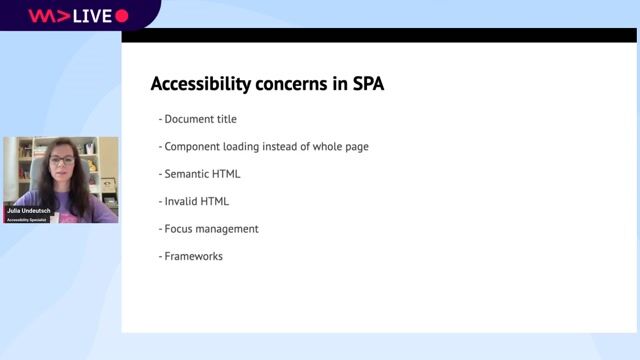
Single-page applications introduce unique accessibility issues like poor semantics, generic page titles, and difficult focus management.
#2about 8 minutes
Using semantic HTML for a better accessibility tree
Semantic HTML provides inherent meaning and structure, which translates directly to a navigable and understandable accessibility tree for screen reader users.
#3about 2 minutes
Using React Fragments to maintain valid HTML structure
React Fragments allow grouping elements without adding extra nodes to the DOM, preventing invalid HTML structures like a div inside a ul.
#4about 1 minute
Using correct JSX attributes for HTML properties
React uses camelCase for most HTML attributes, so it is important to use `className` instead of `class` and `htmlFor` instead of `for`.
#5about 7 minutes
Implementing effective focus management strategies in React
A CRUD application example demonstrates how to handle focus logically after adding, editing, or deleting items to create a predictable keyboard navigation experience.
#6about 3 minutes
Announcing page changes and live updates to users
Use techniques like updating the document title and implementing ARIA live regions to inform screen reader users about dynamic content changes and notifications.
#7about 3 minutes
A practical guide to testing React components for accessibility
Combine manual keyboard testing, browser extensions like axe DevTools, linters, and automated tests to ensure components are accessible.
#8about 1 minute
Summary of key principles for accessible React apps
A recap of essential practices including using semantic HTML, managing focus, announcing updates, and consistent testing to build accessible applications.
Related jobs
Jobs that call for the skills explored in this talk.
Matching moments
07:01 MIN
The importance of web accessibility as a core developer craft
WAD Live 22/01/2025: Exploring AI, Web Development, and Accessibility in Tech with Stefan Judis
00:59 MIN
Summary of key accessibility best practices
Making Interactions Accessible to All Users
18:43 MIN
Q&A on practical accessibility challenges
Preventing Accessibility Issues Instead Of Fixing Them
01:57 MIN
Why you should integrate accessibility early
Going on a CODE100 Accessibility Scavenger Hunt
04:08 MIN
The accessibility challenges of canvas-based UIs
WeAreDevelopers LIVE - Is Software Ever Truly Accessible?
03:52 MIN
Q&A on framework choice and accessibility
Extending HTML with Web Components
01:58 MIN
Building with familiar React APIs and real CSS
Lynx: Native for More
03:01 MIN
Summary of benefits from Ariakit and React 19
Building Interactive Async UI with React 19 and Ariakit
Accessibility tip: Detecting reduced motion in one line of JavaScriptAnimation can be a great tool to make apps seem more performant, be more engaging or even just more interesting. There are, however, quite a few groups of people who can not deal with things animating, as it distracts them or can even cause nausea. T...
Amanda Winstead
How Developers Can Focus on Maintaining Satisfaction With AccessibilityNo matter what kind of project you are working on, the principal mission of any web development assignment is always the same: to provide end-users with the best experience possible. When it comes to optimizing end-user satisfaction, however, it can ...
Chris Heilmann
Find all accessibility problems in a page to take part in the CODE100 final!Today we had our Accessibilty WeAreDevelopers LIVE day and as part of this, we have a new CODE100 challenge. This time it is not about coding something, but about debugging instead. We have put together an alternative page for the LIVE day that is fu...