Go beyond the standard Angular CLI. Learn how to build your own powerful, reusable code generators with Schematics.
#1about 3 minutes
Understanding the problems that schematics solve
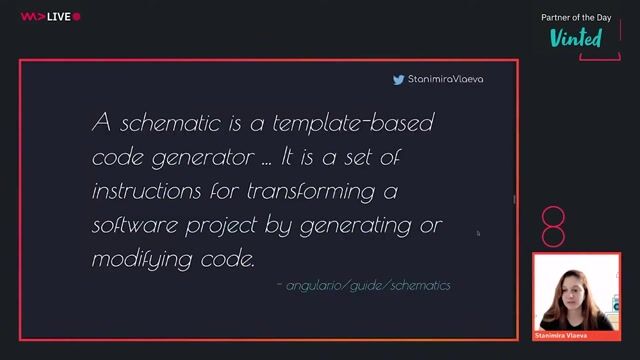
Schematics automate repetitive tasks like scaffolding components, configuring libraries, and migrating breaking changes in Angular projects.
#2about 3 minutes
Automating library setup and configuration with ng add
The `ng add` command uses schematics to automatically install dependencies, update configuration files, and register modules for new libraries.
#3about 1 minute
Managing breaking changes automatically with ng update
The `ng update` command leverages schematics to apply necessary code modifications, ensuring your application remains compatible with new library versions.
#4about 2 minutes
Using schematics outside of the Angular framework
Although developed by the Angular team, the schematics library is open-source and can be used to automate tasks in any project, including React.
#5about 3 minutes
How schematics ensure safe and atomic file updates
Schematics perform operations on a virtual file system, ensuring that changes are only applied to the actual file system if the entire process succeeds without errors.
#6about 2 minutes
Getting started by creating a new schematic collection
Install the schematics CLI globally and use the `schematics blank` command to scaffold a new collection for your custom scripts.
#7about 3 minutes
Understanding the core concepts: Tree, Rule, and Rule Factory
Learn about the fundamental building blocks of schematics, including the Tree for the file system state, a Rule for transformations, and a Rule Factory.
#8about 1 minute
Passing options and logging messages in your scripts
Pass command-line arguments as options to your schematic's outer function and use the context logger to print information to the console.
#9about 2 minutes
Performing basic file operations like create and rename
Use the `tree.create` method to generate new files and `tree.rename` to move or rename existing files within the virtual file system.
#10about 2 minutes
Composing multiple rules with the chain utility
Use the `chain` utility to execute multiple rules sequentially and leverage `schematic` or `externalSchematic` to call other schematics from within your own.
#11about 7 minutes
Generating dynamic files using templates and sources
Create reusable file templates with interpolation and conditional logic, then apply them using a source, a template rule, and the `mergeWith` function.
#12about 3 minutes
Modifying existing files with a live demo
Use `tree.read` to get the contents of a file and `tree.overwrite` to replace its content, as demonstrated by updating an app component's layout.
#13about 2 minutes
Resources for learning more about schematics
Find links to the official documentation, demo repositories, and other schematic collections to continue your learning journey.
Related jobs
Jobs that call for the skills explored in this talk.
Matching moments
03:48 MIN
Generating application flow from a JSON configuration
Generate Customer Journeys from reusable Building Blocks
01:56 MIN
Leveraging the Angular CLI for efficient development
Angular Unleashed: Mastering Modern Web Development with Angular
04:32 MIN
Live demo: Initial setup with an Angular plugin
Micro Frontends with Module Federation: Why and How?
03:16 MIN
Migrating to standalone and architecting your application
Stand alone components in Angular
02:00 MIN
How to create and configure standalone components
Stand alone components in Angular
01:16 MIN
Understanding the core concepts of the Angular framework
Angular Unleashed: Mastering Modern Web Development with Angular
01:56 MIN
Implementing tools to enhance the developer workflow
Next Level Enterprise Architecture: Modular, Flexible, Scalable, Multichannel and AI-Ready?
01:40 MIN
The technical stack for a multi-framework component library
DB UX Design System – How we’ve open sourced our largest inner source project
WeAreDevelopers LIVE days are changing - get ready to take partStarting with this week's Web Dev Day edition of WeAreDevelopers LIVE Days, we changed the the way we run these online conferences. The main differences are:Shorter talks (half an hour tops)More interaction in Q&AA tips and tricks "Did you know" sect...
Thomas Limbüchler
What is TypeScript?Since Angular 2 at the latest, TypeScript has been known to many. But what exactly can you do with it, and is it worth changing?Anyone who has worked with programming languages such as Java or C# before will have noticed that JavaScript allows a su...
From learning to earning
Jobs that call for the skills explored in this talk.